How to Get Into Classic TV Shows (And Where to Watch Them Free)
Ever notice how one episode of I Love Lucy can pull you in faster than anything airing tonight? If you grew up on black-and-white sitcoms and westerns—or you’ve just always been curious what the fuss is about—getting into classic TV is a lot easier than you think. You don’t need cable. You don’t need a fancy TV. You just need to know where to start.
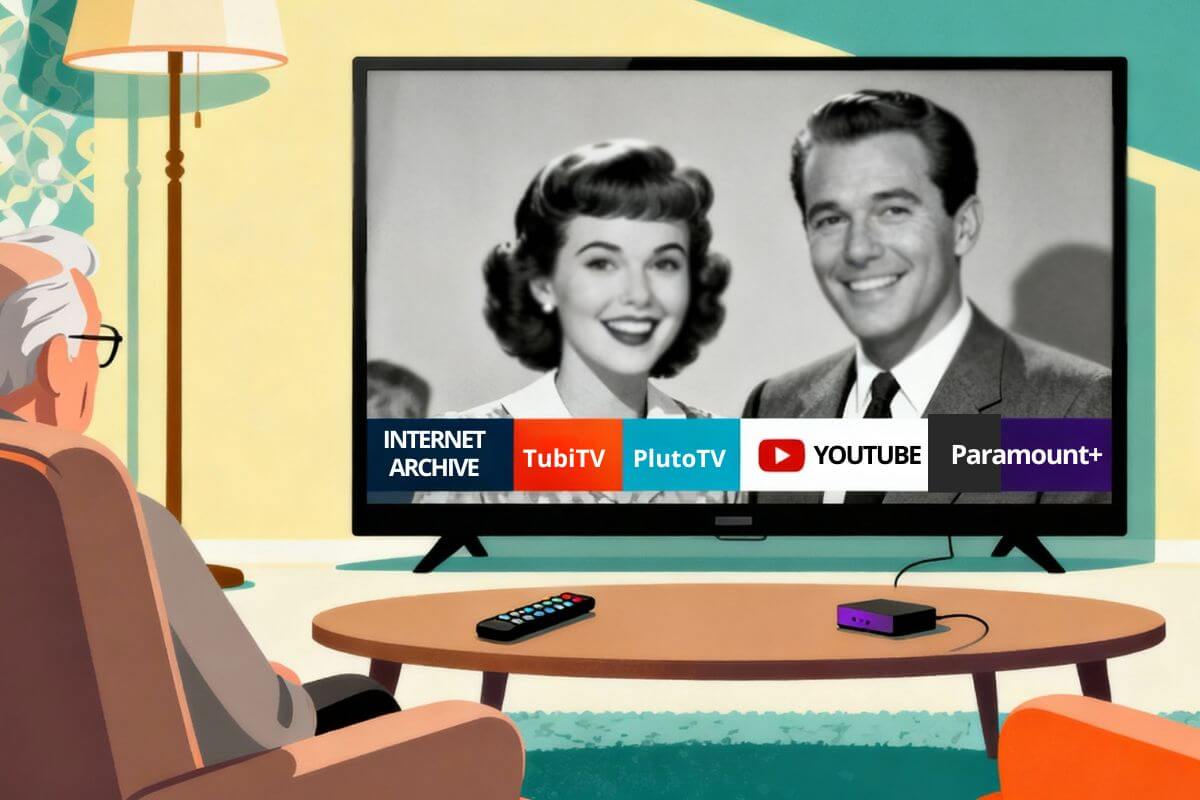
Here’s the short version: pick one show you already know a little about, then watch it free on Tubi, Pluto TV, The Roku Channel, YouTube, Plex, or the Internet Archive. No subscription. No credit card. Below, I’ll help you pick that first show—then show you exactly how to watch it.
New to Classic TV? Start With a Show You Already Like
Not sure where to begin? You don’t need to memorize a list of famous shows or dig through every app to find something good. The easiest way in is simple: think of a show you already halfway know, and start there.
Pick one genre below, try two or three well-regarded episodes, and see if you want more. A comedy fan might start with The Dick Van Dyke Show. Someone who likes a good mystery could try Columbo or Perry Mason. There’s no wrong door in.
If You Like Warm, Character-Driven Comedies
Try The Andy Griffith Show, The Dick Van Dyke Show, I Love Lucy, or Leave It to Beaver.
Try The Andy Griffith Show, The Dick Van Dyke Show, I Love Lucy, or Leave It to Beaver. If Andy Griffith is calling your name, here’s where to watch The Andy Griffith Show free, or if you’d rather own every episode, check out the Andy Griffith complete series on DVD.
These are easy entry points because the characters and humor hold up without needing any background on the era. Search for one show by name on the free services below.
If You Like Westerns and Frontier Stories
Try Gunsmoke, Bonanza, The Rifleman, or Wanted: Dead or Alive.
Westerns are great for beginners because most episodes tell a complete story on their own — you can jump in anywhere, no need to start from episode one.
If You Like Mysteries, Detectives, or Courtroom Dramas
Try Columbo for a relaxed detective story, Perry Mason for courtroom drama, or The Rockford Files for something a little more modern and funny.
Not sure where to start with Columbo? See the best Columbo episodes to watch first, then find out where to watch Columbo.
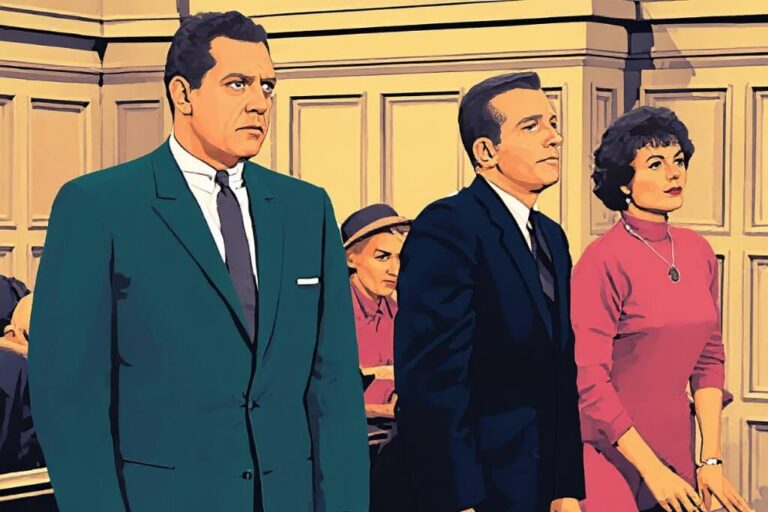
Prefer courtroom drama? Start with the best Perry Mason episodes and where to watch Perry Mason.
Like westerns, most episodes stand alone, so you can start with any highly-rated one without worrying about missing earlier episodes.
If You Enjoy Rare or Unusual Television
Search YouTube and the Internet Archive for forgotten shows, early TV programs, anthology series, old commercials, and other public-domain finds.
YouTube alone has more classic TV than most people realize — see the best classic TV shows on YouTube to get started. Curious what else is out there? Take a look at these forgotten TV shows from the 60s and 70s most people don’t even remember existed.
Just know the quality can be hit or miss — picture, sound, and completeness vary a lot. Check that the upload clearly names the show, episode, and year before you settle in.
Once you’ve picked a show to try, here’s exactly how to watch it free — no cable, no subscription required.
Best Free Places to Watch Old TV Shows
Compare six legal services that offer old TV shows for free. The best choice depends on whether you want to select a particular episode, watch a live channel, or find a rare program. Libraries change frequently, so search by show name before choosing a service.
| Free service | Best for | Account needed? | Advertisements? | Works on a TV? |
|---|---|---|---|---|
| Tubi | Choosing an on-demand show or episode, including classic comedies, westerns, crime shows, and older favorites. Want to use Tubi on your TV? See how to get Tubi on Roku, Fire TV, or a smart TV. See How to Install Tubi TV. | No. A free account is optional. | Yes | Yes |
| Pluto TV | Watching scheduled classic TV channels that feel more like traditional television. See whether you have to pay for Pluto TV. | No. A free account is optional. | Yes | Yes |
| The Roku Channel | Watching free on-demand programs and live channels, especially on a Roku television or streaming device. Using a Roku device? See Roku Stick Setup. | Not always for viewing. A free Roku account enables saved progress and is required to activate a Roku device. | Yes | Yes |
| YouTube | Searching for a particular show, official channel, episode, clip, or older program that is difficult to find elsewhere. Browse classic TV shows to watch on YouTube. | No for most viewing. An account is needed to save favorites and subscriptions. | Usually | Yes |
| Internet Archive | Finding rare, very old, or public-domain television programs and other vintage material. See How to Watch Classic TV on Internet Archive. | No for most viewing. | No | Possible, but easiest on a computer or tablet |
| Plex | Combining free on-demand movies, older television shows, and live channels in one app. | Not always for viewing. A free account enables a watchlist and saved progress. | Yes | Yes |
Which Free Classic TV Service Should You Choose?
The best service depends on whether you want to choose a particular episode, watch a scheduled channel, or search for a hard-to-find show.
- Choose Tubi if you want to browse by title and select a particular show or episode.
- Choose Pluto TV if you prefer live channels and want something to begin playing without making many decisions.
- Choose The Roku Channel if you already use a Roku television or streaming device and want free shows and live channels in one place.
- Choose YouTube if you know the name of the show, actor, or episode you want to find.
- Choose the Internet Archive for rare, very old, or public-domain television programs.
- Choose Plex if you want a mixture of free on-demand programs and live channels in one app.
If you are unsure where to begin, try Tubi when you want to select an episode or Pluto TV when you want a traditional channel-surfing experience. Because free libraries change frequently, check another service if your first choice does not carry the show you want.
What “Free” Means in This Guide
“Free” means you can watch without paying for a cable package or monthly streaming subscription. Most of the services in this guide are supported by advertisements, and their available shows may change over time.
You usually do not need a credit card. Some services offer an optional free account so you can save favorites, create a watchlist, or continue an episode later. And you don’t need to download anything to your computer or device — you watch directly through the app or website, the same way you’d watch a webpage.
Free streaming services require an internet connection. If you do not have home internet, a TV antenna may provide free local channels and classic TV subchannels, depending on your location and reception.
Choose the Easiest Way to Watch Classic TV
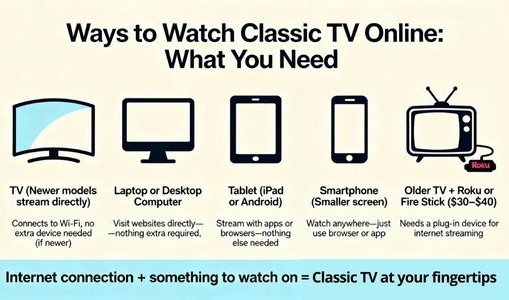
How you watch classic TV depends on your television, internet connection, and preferred device. Use the option below that matches what you already have at home.
If You Have a Smart TV
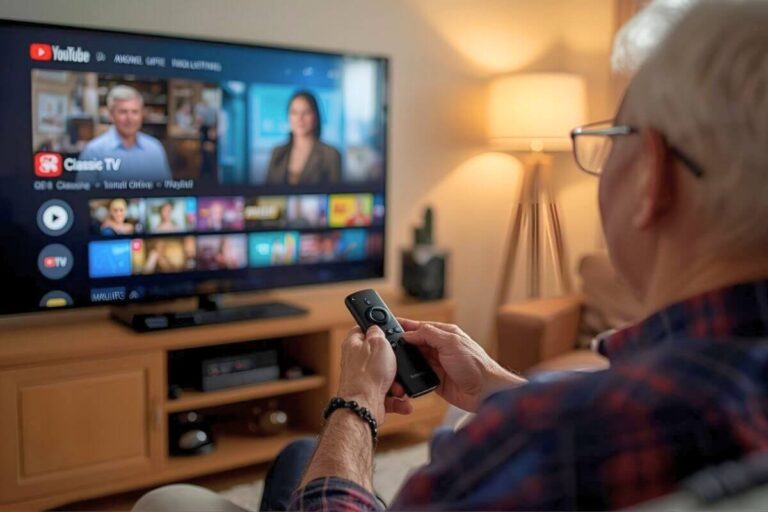
If your television already has streaming apps such as Netflix or YouTube, open its app store and search for Tubi, Pluto TV, Plex, The Roku Channel, or YouTube. Available apps vary by television brand and model.
Install the service, open it, and search for the show you want to watch.
If you need help, follow my guide to installing streaming apps on a smart TV.
If You Have an Older TV With an HDMI Port
You may not need to replace an older television. If it has an HDMI port, you can connect a Roku or Fire TV streaming device.
After connecting the streaming device to your television and Wi-Fi, install the free streaming services you want to use.
- For step-by-step instructions, see how to stream on a non-smart TV.
- If you have not purchased a device, compare Roku and Fire TV Stick before choosing one.
If You Want to Watch on a Computer, Phone, or Tablet
A computer, phone, or tablet is a convenient way to try a free service before installing it on your television.
Open the service’s website or mobile app, then search for a show by title. If the show is available on demand, select an episode. If it is playing on a live channel, choose that channel and watch the scheduled program.
If You Want to Send a Show From Your Phone to Your TV
Some streaming apps let you find a show on your phone or tablet and play it on a compatible television or streaming device. This can be easier than entering a long show title with an on-screen television keyboard.
In most cases, connect the phone and television or streaming device to the same Wi-Fi network. Open the streaming app and look for a Cast or AirPlay button. Select your television or streaming device, choose the program, and start playback.
Your phone may then control playback, including pause, play, and volume, depending on the app and device. If no Cast or AirPlay button appears, that particular app, television, or streaming device may not support the same connection method.
For device-specific instructions, follow this step-by-step guide to casting from a phone to a TV.
If You Do Not Have Home Internet
Free streaming services require an internet connection. Without home internet, a TV antenna may provide free over-the-air channels.
The channels you receive depend on your location, antenna, placement, surrounding terrain, and distance from broadcast towers. Some areas receive retro television subchannels, but their availability varies.
To get started, see how to set up an indoor TV antenna.
To estimate your available stations, learn what channels you may receive with an antenna in your area.
How to Find Popular Old TV Shows for Free
Free streaming libraries change frequently, and a show available today may move or disappear later. Search for the exact show title on Tubi, Pluto TV, The Roku Channel, YouTube, and Plex. For very old or public-domain programs, also check the Internet Archive.
Popular Comedies
Search for:
- The Andy Griffith Show
- I Love Lucy
- The Dick Van Dyke Show
- Leave It to Beaver
- The Beverly Hillbillies
Check whether the service offers complete episodes, selected episodes, or a scheduled live channel. Some search results may contain only clips.
Westerns
Search for:
- Gunsmoke
- Bonanza
- The Rifleman
Western series often appear on free live channels as well as in on-demand libraries. If a particular episode is unavailable on demand, check whether the service has a western channel playing episodes on a schedule.
Mysteries, Detectives, and Courtroom Shows
Search for:
- Perry Mason
- Columbo
- The Rockford Files
- Mission: Impossible
When a program has a revival, remake, or television movie with the same name, check the cast and original broadcast year to make sure you found the version you want.
Science Fiction and Anthology Shows
Search for:
- The Twilight Zone
- Other classic anthology programs by their exact title
Several versions of The Twilight Zone exist, so include the original broadcast year or an actor’s name if the search results show the wrong series.
How to Avoid Clips and Unofficial Uploads
Finding a familiar show in the search results does not always mean you have found a complete, authorized episode. The result may be a short clip, fan upload, edited recording, or an episode with missing scenes.
Before you begin watching, check the title, runtime, uploader, and description.
Check the Episode Length
Most half-hour television episodes run approximately 22 to 26 minutes without commercials. Hour-long programs commonly run approximately 45 to 52 minutes without commercials.
The exact length varies by show and era, but a video lasting only a few minutes is probably a clip rather than a complete episode. Some uploads may also combine several clips under a title that sounds like a full episode.
Check Who Uploaded It
On YouTube, look for:
- The official network, studio, distributor, or program channel
- Consistent channel branding
- A detailed About page
- Links to an official website or social account
- Clearly identified show, season, and episode information
- A library of related programs or episodes
A verification checkmark can be helpful, but do not rely on it alone. If the channel looks unrelated to the program or provides no information about the source, try another result.
Watch for Altered or Incomplete Videos
Be cautious when a video has:
- A cropped or zoomed picture
- Reversed or mirrored footage
- Distorted sound
- An unusually short runtime
- Missing opening or closing credits
- A title that promises a full episode but provides only clips
- No information about the show, episode, or uploader
These signs do not automatically prove that an upload is unauthorized, but they are good reasons to look for a more trustworthy source.
Be Careful With Internet Archive Listings
The Internet Archive contains rare television programs, historical recordings, and public-domain material. However, the presence of a program on the site does not automatically mean that every upload is public domain or free of copyright restrictions.
Check the item page for the uploader’s description, source information, usage statement, date, and rights details. Also remember that an old television program is not automatically public domain simply because of its age.
Use Official Streaming Services First
When the same show is available through Tubi, Pluto TV, The Roku Channel, Plex, or another authorized service, that version is usually the simplest place to begin. The program is more likely to be properly labeled, complete, and organized by season or episode.
If you need help setting up a service, use these guides:
- Install Tubi on your television or device
- Get Pluto TV on a television, Roku, Fire TV, phone, or tablet
- Find full episodes on YouTube
- Watch classic TV on the Internet Archive
- Watch Internet Archive programs on a television
When a Paid Service or DVD Makes More Sense
Free streaming services may carry only selected episodes or seasons, and their libraries can change without notice. A paid subscription, library copy, or DVD set may be more practical when you want a complete series or reliable long-term access.
Check Paid Streaming Services
Search for the exact show before subscribing to a paid service. A service may carry only certain seasons, and availability can vary by country and change over time.
Before paying, check:
- Which seasons and episodes are included
- Whether the plan contains advertisements
- Whether the service works on your television or streaming device
- The current monthly price
- How and when to cancel
A paid subscription gives you access only while the service carries the program and your subscription remains active. It does not give you permanent ownership of the show.
Check Your Public Library
Before purchasing a subscription or DVD set, search your public library’s catalog. Some libraries lend individual seasons, complete-series collections, or DVDs through an interlibrary loan program.
Availability varies, but borrowing a DVD can be a useful option when a show is not streaming free.
Consider a DVD Set
A DVD set may be the better choice when you have slow internet, want dependable access, or do not want a series to disappear from a streaming library.
A DVD set can provide:
- Access without an internet connection
- No recurring subscription
- No streaming advertisements
- A one-time purchase
- Access to the episodes included in the set
Before buying, confirm that the set includes the seasons and episodes you want. Check whether it is a complete series, a single season, or a selected-episode collection.
If your larger goal is to eliminate a monthly television package, see how to cut cable and continue watching your favorite shows.
Trouble Hearing Classic TV Dialogue?
Older programs can sometimes sound thin or muffled through modern flat-screen television speakers. Before increasing the volume, try adjusting your TV’s dialogue, voice, or equalizer settings.
If voices remain difficult to understand, follow these steps for fixing TV dialogue that is hard to hear.
If changing the settings does not help, a dialogue-friendly soundbar may improve speech clarity at a lower volume. Wireless TV headphones may be more suitable when one person needs a different volume from everyone else.
To understand the underlying problem, learn why classic TV audio can sound different on modern televisions.
Frequently Asked Questions
Where can I watch old TV shows for free?
You can watch old TV shows for free on services such as Tubi, Pluto TV, The Roku Channel, Plex, and YouTube. The Internet Archive may also have older or public-domain programs.
Libraries change frequently, and some services use advertisements to support free viewing. On YouTube and the Internet Archive check the uploader and program information before relying on a particular recording.
Do I need a credit card to watch free classic TV?
You usually do not need a credit card to begin watching the free services covered in this guide. Some offer an optional account so you can create a watchlist, save favorites, or continue watching later.
Always check the terms before beginning a paid subscription or promotional offer.
What’s the difference between Tubi and Pluto TV?
Tubi is generally better when you want to select a particular on-demand show or episode. Pluto TV is better when you want to choose a live channel and watch whatever is currently playing.
Both are supported by advertisements, and their available programs can change.
Why can’t I find the same show on every service?
Each service has different licensing agreements, and those agreements can change. A show may move to another service, have only selected seasons available, or temporarily disappear from free streaming.
Search for the exact show title on several services. Also check whether the result is a full episode, short clip, live channel, remake, or revival with the same name.
Can I watch classic TV for free without internet?
A TV antenna can receive free over-the-air stations without an internet connection. Depending on your location, some local subchannels may carry classic television, westerns, comedies, or older movies.
The channels you receive depend on your distance from broadcast towers, surrounding terrain, antenna type, and placement. Learn what channels you may receive with an antenna in your area.
What’s a good classic TV show to start with?
If you like warm, easy-to-watch comedies, try The Andy Griffith Show or I Love Lucy. If you prefer mysteries, Columbo and Perry Mason are great starting points since each episode stands on its own. Westerns like Gunsmoke are also beginner-friendly for the same reason — you don’t need to watch from episode one to follow along.
Start With One Show
The simplest way to begin is to choose one show you already know and search for it on two or three free services. Use Tubi when you want to select an episode, Pluto TV when you prefer scheduled channels, and YouTube when you want to search by show, actor, or episode title.
Another free classic TV option is Great Entertainment Television, formerly getTV.
If the first service does not carry the program, try another. Free libraries change, so a missing show today may become available later.
For more recommendations and practical help, browse the Start Watching Classic TV guide.
Sources & Verification
The services linked in this guide are established streaming platforms or nonprofit resources. YouTube and the Internet Archive contain material from many different uploaders, so check the uploader, source information, and rights details before relying on an individual recording.
Tubi – About
Learn how Tubi offers free, legal streaming supported by short ads.
Pluto TV – About
Discover how Pluto TV works like traditional television with live channels and on-demand classic shows.
Internet Archive – About
Learn how the nonprofit Internet Archive preserves and provides access to historical media, including some material identified as public domain.
⚖️ U.S. Copyright Office – Public Domain
Understand what “public domain” means and how it applies to older television